Mods & Map for MCPE Minecraft
- 4.5
- Rating
- 1.00M
- Installs
- Free
- Price
 Analysis by App-foxy
I spent time with Mods & Map for MCPE Minecraft as a practical companion for finding Minecraft: Pocket Edition content, and my first impression is that it is aimed at one very specific frustration: getting new mods, maps, skins, addons, and visual packs without searching through unrelated pages one by one. It is a free app in the Libraries & Demo category, made by RETRO GAMING LABS, and its focus is clearly on browsing and installing extra content for MCPE rather than replacing Minecraft itself.
That distinction matters. This is not a standalone Minecraft game, and it should not be judged as one. Its usefulness depends on whether you already play the mobile version of Minecraft and want a quicker way to discover community-style additions. I found the idea appealing for short sessions, especially when I wanted to change the feel of a familiar world without spending a long time comparing scattered downloads.
What the app actually offers
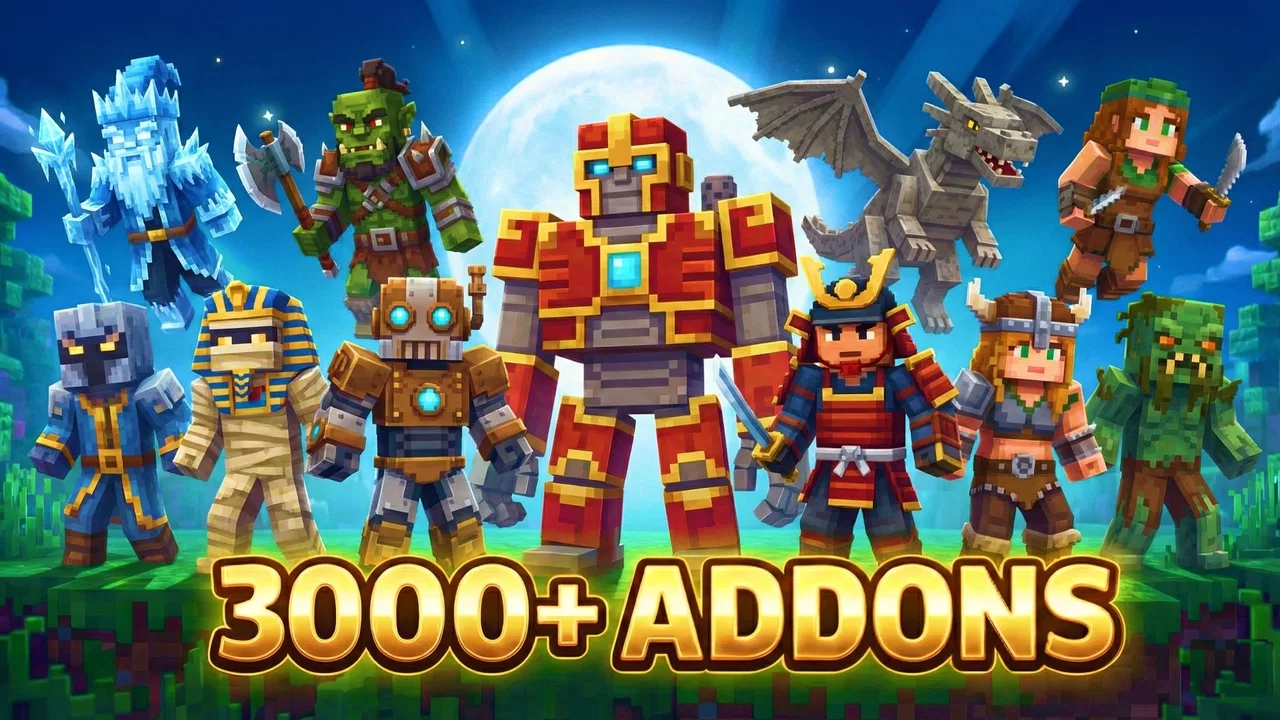
The central promise is a one-tap route to MCPE mods, addons, maps, skins, and realistic shaders. In daily use, that makes the app feel more like a content library than a creative tool. You open it with a particular goal in mind, browse the available material, and decide whether something fits the world you want to play. The strongest part of that approach is convenience: instead of beginning with a broad web search, you start inside an app built around Minecraft additions.
You May Also Like

 AccuWeather: Weather Radar
AccuWeather Review: A Quick, Clear Forecast for Everyday Decisions
For everyday plans, the best forecast is the one you can understand quickly. AccuWeather makes rain timing, radar, and local conditions easy to act on, with a few trade-offs.

 Hill Climb Racing
Why Hill Climb Racing Still Turns Crashes Into One More Run
A tiny car, a bumpy hill and one more upgrade: Hill Climb Racing keeps resurfacing because its simple chaos makes every near-miss feel personal.

 AliExpress - Shopping App
AliExpress Makes Global Shopping Feel Personal, but Shoppers Bear the Risk
AliExpress turns a global marketplace into a pocket-sized discovery engine. Its reach is useful, its shopping loop compelling, and its trade-offs easy to miss.

 Lords Mobile: Kingdom Wars
Lords Mobile Is a Kingdom-Building Routine, Not a Quick Match
A case-by-case verdict on the building, battles, device demands, and social commitments that make Lords Mobile rewarding for some players and exhausting for others.

 PDF Scanner app - TapScanner
TapScanner Makes Paperwork Easier to Capture, Check, and Share
TapScanner makes scanning with a phone feel less like a rescue operation and more like a dependable step in getting work done. Its capture tools are useful, though not flawless.

 Block Blast!
 Shows How Much a Puzzle Game Can Leave Out
A quiet grid game shows why puzzle players increasingly value instant clarity, repeatable skill and low-pressure play—and where the genre still needs to catch up.
More From Our News Desk
View All News


I would describe the experience as useful for experimentation. One day you may be looking for a new map to explore, while another session may be about changing character appearance or trying a different visual style. Keeping those types of content together is more practical than treating every download as a separate search project.
Still, the app is only one part of the process. Minecraft remains the place where the content is used, so the quality of your final experience depends on how well a selected item works with your edition of the game and with the world you intend to open. I would not install it expecting a complete, self-contained game or a replacement for Minecraft’s own gameplay.
The app has a Teen content rating, which is worth keeping in mind for families. That label does not tell me that every item will suit every player, so I would still look at each download before handing the device to a younger player. A parent who wants tightly controlled content should be involved in choosing what gets installed rather than treating the catalog as automatically appropriate.
Cost and the practical meaning of “free”
The app itself is free to download, which gives it a low-risk starting point. You can try the catalog without paying an entry fee, and that is important for an app whose value depends heavily on whether its available Minecraft content matches your taste. I prefer that arrangement to paying before discovering that the selection is not useful for my particular play style.
There are also in-app purchases ranging from $1.99 to $19.99 per item. That changes the value calculation. Free access lets you inspect the experience, but it does not mean every part of the catalog is free. Before choosing anything that asks for payment, I would check exactly what the purchase unlocks and whether it is a single item or something with broader usefulness. The price range is wide enough that casual experimentation and repeated buying can feel very different.
For me, the sensible approach is to treat paid content as optional rather than assuming it is necessary for the app to work. If the free material already gives you enough maps, skins, or visual changes, the app can remain a no-cost discovery tool. If you are tempted by several premium items, set a personal limit first. That simple step prevents a collection of small decisions from becoming a surprisingly expensive Minecraft accessory.
The app is listed at version 1.2.3 and requires Android 7.0 or later. That makes compatibility a question worth answering before installation, particularly if you are using an older phone or tablet. I would also leave some time for testing a selected item in Minecraft instead of assuming that a one-tap installation means every world will behave exactly as expected.
Where the value comes from
The main value is organization. MCPE players often want a specific kind of addition but do not know the right search terms. A library dedicated to mods, maps, skins, addons, and shaders reduces that first barrier. I found the category separation useful because it encourages a more deliberate choice: am I trying to change the world layout, the character’s appearance, the available content, or the visual atmosphere?
That distinction leads to a better workflow than downloading the first attractive item. I would begin with the type of change I actually want, then choose one addition at a time. For example, if a familiar survival world feels stale, a map may provide a new setting. If the world itself is fine but the presentation feels repetitive, a skin or shader may be the more sensible choice. The app’s range is valuable because it supports those different moods without requiring a completely new game.
Another useful point is that the app can help turn Minecraft into a more social activity. A player who has already explored the usual survival routine may enjoy showing friends a new map or a different visual style. That does not guarantee that every download will be impressive, but the library format makes it easier to look for something suited to a shared session rather than relying on random recommendations.
I also see value for players who like testing ideas in stages. Instead of changing several parts of Minecraft at once, install one map, skin, addon, or shader and see how it affects your experience. This is a better troubleshooting habit than making multiple changes and then wondering which one caused a problem. It also makes it easier to return to a familiar setup when an experiment is not worth keeping.
Tradeoffs I noticed while judging the workflow
The phrase “one-tap installer” sounds wonderfully simple, but installation convenience should not be confused with universal compatibility. Minecraft content can behave differently depending on the game version, the type of world, and other active additions. My practical advice is to back up or duplicate an important world before experimenting. That is especially sensible when trying an addon or a shader rather than a purely cosmetic skin.
Maps deserve their own caution. A map is not just a decoration that can be casually switched on and off inside an existing world. It may be intended as a separate experience, and I would treat it as something to open independently rather than mixing it into a valuable survival save. This small change in habit protects progress and makes it easier to evaluate whether the map is enjoyable on its own terms.
Shaders can also be a poor match for modest hardware, even when they look attractive in screenshots or previews. I would test visual additions on the device where I actually play, not judge them only from an image. If the result makes the game uncomfortable to use, the visual improvement is not worth it. In that situation, a simpler skin or map may deliver more enjoyment with less strain on the playing experience.
There is also a discovery tradeoff. A dedicated catalog is faster than a general web search, but speed can encourage impulse downloads. I would read the item’s description carefully, note what kind of content it is, and avoid installing several similar packs at once. The best use of the app is not collecting everything; it is narrowing the choices to additions that have a clear purpose in your Minecraft routine.
Paid items add another layer of friction. Since individual purchases can cost from $1.99 up to $19.99, I would not assume that the most expensive option is automatically the best value. A free map that gives you several enjoyable sessions may be a better purchase decision for your time than a premium visual item that looks impressive for a few minutes. Value here is personal and depends on how often you play and what kind of change keeps you interested.
Three smarter ways to use it
My first tip is to create a testing routine. Start with a world that is not important, install only one addition, and play long enough to notice whether it changes the experience in the way you expected. This is more reliable than judging a pack during the first few seconds. It also gives you a clean reference point if you later decide to try another item.
My second tip is to match the content to the problem you are trying to solve. If you are bored with exploration, begin with a map. If you want a personal change that does not alter the world, start with a skin. If you want new behavior or content, consider an addon but test it separately. If the goal is atmosphere, try a shader only after considering how your device handles visual changes. This prevents paying for a category that does not address what you actually wanted.
My third tip is to keep a simple record of what you install. I would note the name or purpose of each addition and remove experiments that I no longer use. That sounds basic, but it becomes valuable when several packs compete for attention or when a world starts behaving differently after changes. A tidy setup is easier to understand than a device filled with forgotten downloads.
A fourth useful habit is to separate “showcase” content from “long-term” content. A dramatic shader or unusual map may be excellent for showing friends, while a dependable skin or survival-friendly addon may be better for regular play. Judging both by the same standard can lead to disappointment. I would ask whether an item is meant for a quick surprise or repeated use before deciding what it is worth to me.
Who is likely to get the most from it?
This app is a good fit for an MCPE player who enjoys trying new content but dislikes hunting through general search results. It suits someone who wants several types of additions in one place and is comfortable deciding which downloads are appropriate for their own game. It is also useful for families or friend groups that regularly refresh their Minecraft sessions with new maps, appearances, or visual themes.
It may be particularly helpful for a player who has just returned to Minecraft after a break. Rather than rebuilding a whole routine from scratch, you can browse for one change that makes the game feel fresh. I would start with a map or skin because those are easy ways to create a different mood without immediately committing to a complicated setup.
On the other hand, I would skip it if you only want the standard Minecraft experience and never install community content. In that case, the library adds another layer that you may not use. I would also hesitate if you need a completely curated environment with no paid choices or if you are unwilling to test compatibility carefully. The free download is easy to try, but the broader experience still asks for judgment.
Players who prefer desktop-focused mod management may also find a mobile catalog less suitable. This app is specifically relevant to MCPE users, so someone looking for a different Minecraft edition should not assume that every item will transfer cleanly. Likewise, a player whose main interest is building their own content rather than installing ready-made additions may get more from creation tools than from this kind of library.
How it compares with the usual alternatives
Compared with searching the open web, the app’s advantage is focus. You do not begin with unrelated pages, ambiguous download instructions, or broad searches that mix different Minecraft editions. The tradeoff is that a dedicated catalog may not offer the same sense of endless choice that a determined web search can provide. I would choose the app for convenience and browsing, and a broader search method only when I already know exactly what specialized content I want.
Compared with using Minecraft without additions, this app offers more variety but also more responsibility. The standard game is simpler: you know what you are launching and what your world contains. Mods, maps, skins, and shaders are better when you want novelty, but they require more attention to organization, compatibility, and spending. For a player who values stability above experimentation, the usual unmodified setup remains the better option.
Compared with installing each item manually, the one-tap approach is the clearest reason to try this app. It reduces the number of steps between discovering an idea and testing it. Even so, I would not let that convenience replace basic care. Keep important worlds separate, introduce changes gradually, and remember that a fast installation does not guarantee that the result will suit your device or your preferred way to play.
My verdict on the free and paid value
After weighing the experience, I see Mods & Map for MCPE Minecraft as a useful discovery tool rather than an essential Minecraft companion. Its free availability makes it reasonable to try, especially if you already play MCPE and want a more organized route to new content. The strongest value comes from saving search time and making experimentation feel approachable.
The paid side needs more restraint. With purchases priced per item across a range from $1.99 to $19.99, I would only spend money when a particular addition clearly matches how I play. I would not buy several items simply because the catalog makes them easy to find. Free access is enough to decide whether the app’s style and selection work for you, and that trial should come before any purchase.
My final recommendation is to install it if you are an Android MCPE player who enjoys controlled experimentation, wants maps and cosmetic changes in one place, and is willing to test content carefully. I would skip it if you never use additions, need a strictly uniform Minecraft setup, or want a tool for creating mods rather than installing them. For the right player, the best value is the ability to refresh familiar Minecraft sessions without paying an entry fee; for everyone else, the extra catalog may simply be unnecessary.
RETRO GAMING LABS has positioned this app around convenience, and that is exactly how I would use it: browse with a purpose, start with free options, protect important worlds, and pay only when a specific item has lasting value. With an average rating of 4.4 from around 3.3 thousand ratings and more than 100 thousand installs, it has clearly attracted a substantial audience, but those figures should support your decision rather than make it for you. My own conclusion is positive but measured: it is worth trying for curious MCPE players, not something every Minecraft player needs.
FAQs for Mods & Map for MCPE Minecraft
01What is Mods & Map for MCPE Minecraft?
Mods & Map for MCPE Minecraft is an application that offers a wide variety of mods, maps, skins, and textures to enhance your Minecraft Pocket Edition experience. It provides easy-to-install features that allow you to customize your game and explore new worlds with unique items and gameplay mechanics.
02Is Mods & Map for MCPE Minecraft free to use?
Yes, the basic version of Mods & Map for MCPE Minecraft is free to download and use. However, there may be in-app purchases or premium content available that offer additional features or exclusive mods, enhancing your Minecraft experience further. Always check for any costs associated with these optional purchases.
03How do I install mods and maps using this app?
Installing mods and maps using Mods & Map for MCPE Minecraft is straightforward. Once you've downloaded the app, browse through the available content, select your desired mod or map, and follow the on-screen instructions. The app is designed to integrate seamlessly with Minecraft Pocket Edition, so installation is typically quick and easy.
04Is Mods & Map for MCPE Minecraft safe to use?
Mods & Map for MCPE Minecraft is generally safe when downloaded from a reputable source, such as the official app store. However, as with any third-party content, there could be risks. Ensure your device has updated security software, and read user reviews to verify the app's safety and reliability before installation.
05Will using Mods & Map for MCPE Minecraft affect my game performance?
While Mods & Map for MCPE Minecraft is designed to enhance your game experience, some mods or maps may require more processing power, potentially impacting performance. If you encounter lag or crashes, try reducing the number of active mods or upgrading your device’s hardware. Always ensure your device meets the app's recommended specifications.
Pros
- Wide variety of mods available.
- User-friendly interface.
- Regular updates with new content.
- Seamless integration with MCPE.
- Easy installation process.
Cons
- Requires in-app purchases.
- Contains ads between downloads.
- Some mods may not work perfectly.
- Limited customer support.
- Occasional crashes reported.

Mods & Map for MCPE Minecraft
Gallery